The dialog says the file will be permanently deleted, you click yes, and it is gone from view. That wording is misleading in both directions: nothing was erased at that moment, and yet the file may still be unrecoverable. Which of those is true for you depends almost entirely on one thing, and it is not the software you buy next.
What Shift+Delete actually does
Pressing Shift while deleting bypasses the Recycle Bin. That is the whole of the difference. There is no separate wiping routine, no overwrite pass, no secure erase.
On an NTFS volume, deleting a file is recorded in the Master File Table. Microsoft's documentation is clear about the mechanics: when files are deleted, their MFT entries are marked as free and may be reused. The deletion is performed as an MFT change, and not as an operation on all the sectors of the file.
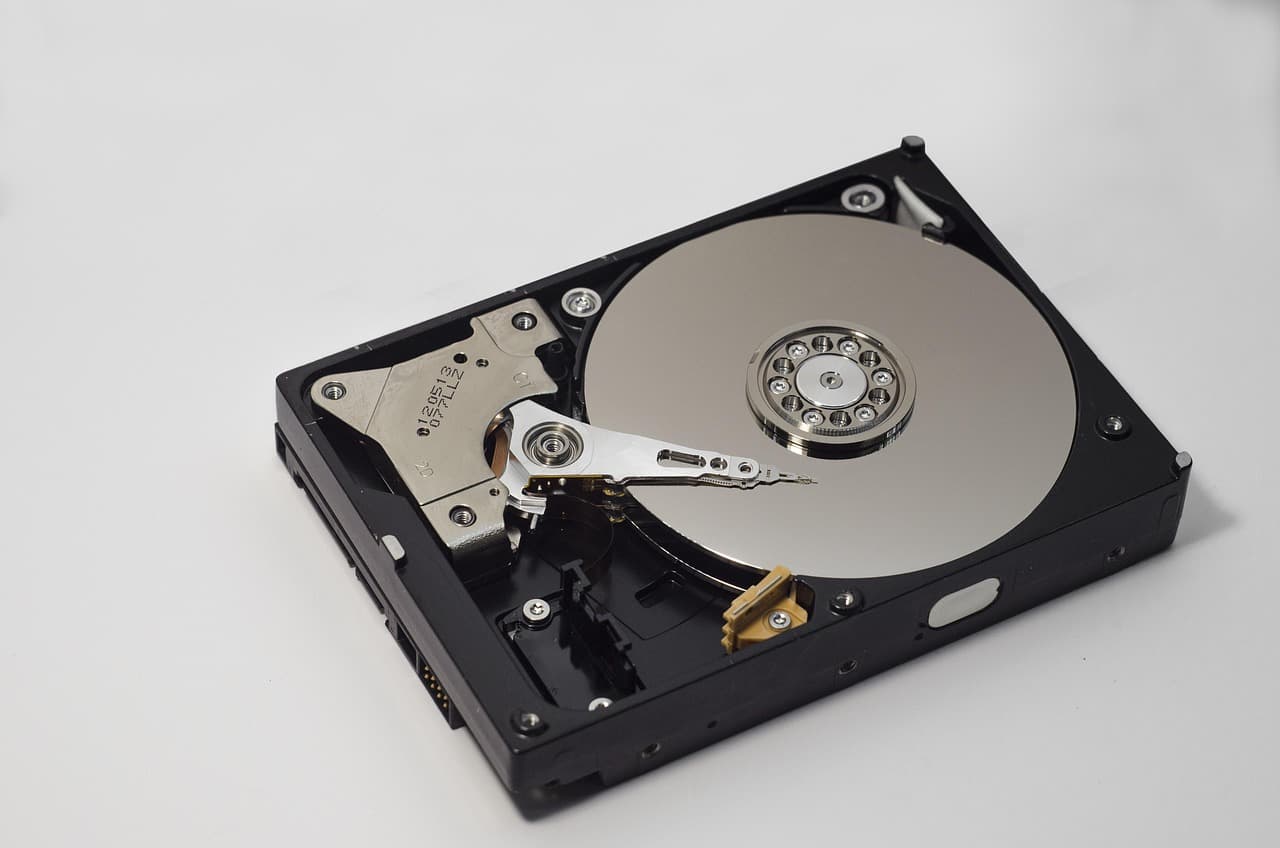
Read that second sentence again, because it is the entire basis of file recovery. The clusters holding your document are untouched. What changed is the bookkeeping that said those clusters were occupied. Recovery software works by reading what is still physically there and reconstructing the file from it.
The asymmetry is worth stating in numbers. An MFT record is 1024 bytes on a typical NTFS volume, and a default NTFS cluster is 4096 bytes, or eight 512-byte sectors. Deleting a 500 MiB video therefore changes on the order of a kilobyte of bookkeeping and leaves 128 000 clusters of actual video sitting exactly where they were.
The rule that follows: stop writing
If the data survives only until something overwrites it, then every write to that drive is a chance to destroy what you are trying to save.
This is why the standard advice is to stop using the drive immediately, and why it is more urgent than it sounds. Windows writes constantly on its own: temporary files, browser cache, logs, update staging. None of that asks your permission, and all of it consumes free space, which is precisely where your deleted file now lives.
The most common self-inflicted loss follows from this. Someone deletes a file, searches for recovery tools, downloads one, and installs it onto the same drive, potentially writing straight over the clusters they wanted back. If the deleted file was on your system drive, run the recovery from another machine or from an external drive.

The part most guides leave out: TRIM
Everything above describes a mechanical hard drive accurately. Solid state drives changed the picture, and this is where honest advice diverges from advice written to sell a licence.
An SSD cannot overwrite a block the way a hard drive can. It is flash memory, erased in blocks, and it needs to know in advance which blocks are no longer in use so it can prepare them. That is what the TRIM command is for, defined in the T13 specification and supported by Windows since Windows 7.
The consequence for recovery is direct: NTFS sends TRIM during ordinary operations, including deletefile. When you Shift+Delete on a TRIM-enabled SSD, the file system does not merely update its own bookkeeping, it also tells the drive that those blocks are free. The drive's garbage collection then reclaims them on its own schedule.
Once that has happened, the contents are not sitting in free space waiting to be found. They are gone at the hardware level, and no recovery tool can reach them, because there is nothing left to read. Our guide on SSD recovery and TRIM goes further into that mechanism.
Check which drive you have before spending anything
This single question decides whether recovery is a reasonable hope or a purchase you will regret.
Windows tells you directly. Open the Optimise Drives tool and look at the media type column, which reports each volume as either a solid state drive or a hard disk drive. Do that first.
- Hard disk drive, and you stopped writing quickly: a scan has a real chance. Proceed.
- Solid state drive with TRIM active: expect nothing, and be pleasantly surprised if a tool finds something. Any product promising otherwise is selling certainty it does not have.
If the drive is a hard disk and you stopped writing in time
Where recovery still works on an SSD
The picture is not completely closed, and it is worth knowing the exceptions rather than assuming either extreme.
TRIM has to actually reach the drive. It may not, on some external USB enclosures that do not pass the command through, on older configurations where TRIM is disabled, or on file systems and setups that do not issue it. There is also a window between the deletion and the drive's garbage collection actually running, which is why acting within minutes is not superstition.
None of that is something to count on. It is a reason to try quickly rather than a reason to expect success.
The honest summary
Shift+Delete does not erase your file. On NTFS it frees the Master File Table entry and leaves the data in place, which is why recovery is possible at all, and why you must stop writing to that drive at once.
Then the drive type decides the outcome. On a hard drive, a prompt scan has a genuine chance. On an SSD, Windows has already sent TRIM as part of the deletion, and the blocks are most likely reclaimed. Check the media type in Optimise Drives before you buy anything, and treat any tool that guarantees recovery from a TRIM-enabled SSD with suspicion.
The description of NTFS deletion, including MFT entries being marked free and reusable, deletion being an MFT change rather than an operation on the file's sectors, and NTFS sending the TRIM command during ordinary operations such as deletefile, is taken from Microsoft's own documentation, checked at the time of writing. Behaviour varies with drive firmware, enclosure and configuration; verify against your own hardware. Commercial links carry the rel="sponsored nofollow" attribute; an affiliate commission may apply at no extra cost to you.
Recover your deleted files → EaseUS
Free scan · deleted, formatted & lost files · Windows & Mac